
Shared Spreadsheet Formula-Change and Protection Controls for UAE Finance Teams
By Valusage Technical Practice
Editorial responsibility: Valusage Business Advisors Editorial Practice
Direct answer
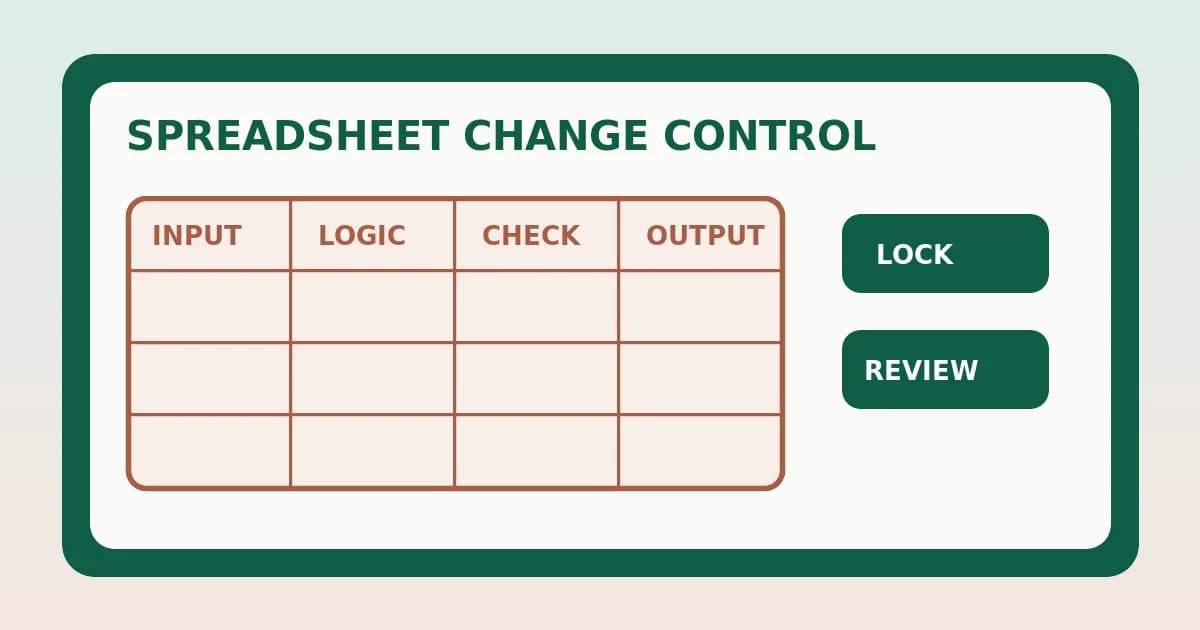
A UAE finance team should control material shared spreadsheets by separating input, calculation and output areas; protecting formula cells; assigning owners; recording versions; and reviewing every material formula change. Before release, totals should reconcile to controlled sources and key calculations should be independently reperformed. Spreadsheet controls improve traceability but do not make an unsupported model or accounting conclusion reliable.
Advisory decision map
From information to a controlled decision
- 01Question
- 02Evidence
- 03Options
- 04Action
Illustrative evidence trend
Decision supportShared spreadsheets remain useful, but silent formula changes can alter reports without leaving a clear audit trail. A practical control design makes inputs, logic, review and release status visible.
Classify the spreadsheet
Identify files used for journals, reconciliations, forecasts, management reports or decisions. Record the owner, purpose, frequency, source systems, users and material outputs. Apply stronger controls where an error could change a financial record or management decision.
Separate inputs, logic and outputs
Use clearly labelled input areas, protected calculation cells and controlled output sheets. Avoid hard-coded values inside formulas. Document units, currencies, signs, dates and important assumptions so another reviewer can understand the model.
Control changes
Record the requested change, reason, affected formulas, preparer, reviewer, test result and effective version. Preserve the previous released file. Restrict editing rights and remove obsolete copies from shared working locations without deleting the retained record.
Test key calculations
Reperform material formulas, inspect unusual links and test boundary cases. Reconcile source totals and outputs to controlled reports. Use reasonableness checks that would detect a missing range, incorrect sign or broken external link.
Release one approved version
Mark the approved file, release date and reviewer. Prevent recipients from confusing draft and final versions. If a post-release error is found, preserve the original, record the correction and communicate the affected output.
Practical checklist
1. Inventory material finance spreadsheets. 2. Name the owner, purpose and users. 3. Separate inputs, formulas and outputs. 4. Protect calculation cells and editing rights. 5. Log and review material formula changes. 6. Reperform key calculations. 7. Reconcile outputs to controlled sources. 8. Release and retain one approved version.
The IFRS Conceptual Framework supports comparable and verifiable information, and NIST's Cybersecurity Framework supports proportionate access and change governance. This article is an operational control guide, not a certification of a particular model, system or accounting conclusion.
About the author
Haris Arif is Head of Finance and Investment. He is a finance and investment leader with experience across multi-entity businesses in technology, F&B and hospitality. He writes practical insights on financial control, management reporting, working capital, tax readiness and finance transformation for UAE founders, CFOs, investors and management teams.
Connect with Haris Arif on LinkedIn: https://www.linkedin.com/in/harisarifofficial/
Continue the decision
Services, evidence and next steps
Related control guidance
Continue with another evidence-led management review
 Technology and eInvoicingFinance-System Access Recertification and Leaver Controls in the UAE →
 Accounting and BookkeepingMonth-End Close Task Dependency and Handover Controls for UAE Finance Teams →
 CFO, Finance and Cash FlowTreasury Bank-Mandate and Signatory Lifecycle Controls for UAE Businesses →
 Accounting and BookkeepingAudit Evidence and PBC Request Tracker Controls for UAE Finance Teams →
Professional boundary
This article is general information. It is not a filing opinion, legal advice, audit conclusion, investment recommendation or guarantee of authority acceptance or commercial outcome.
Which spreadsheets need stronger controls?+
Prioritise files used for journals, reconciliations, forecasts, reports or decisions where an error could be material.
Should formulas be editable by every user?+
No. Separate input rights from protected calculation logic and document authorised changes.
What should happen after a post-release error?+
Preserve the original, record and test the correction, issue a new version and notify affected recipients.
Valusage email updates
Receive related Valusage guidance
Original summaries with official sources and practical context. Confirm by email. Unsubscribe at any time.
Relevant next steps
Connect this guidance to a defined requirement
Contextual advisory review
Make material spreadsheet logic protected, reviewed, reconciled and version-controlled
Describe the entity, decision, deadline and evidence available. The service, enquiry and article path accompany the request. No engagement begins until scope, responsibilities, timing, exclusions and fees are agreed in writing.
Review the related service →Contextual enquiry
Make material spreadsheet logic protected, reviewed, reconciled and version-controlled
Tell us the outcome, deadline and current position. The selected service context is retained with your request so the right scope can be reviewed.